

Attendo (formerly Petpooja Payroll): How It Works
A punch at the door, a shift rule, an approved leave, and a salary at the end of it. Here is what sits between them.
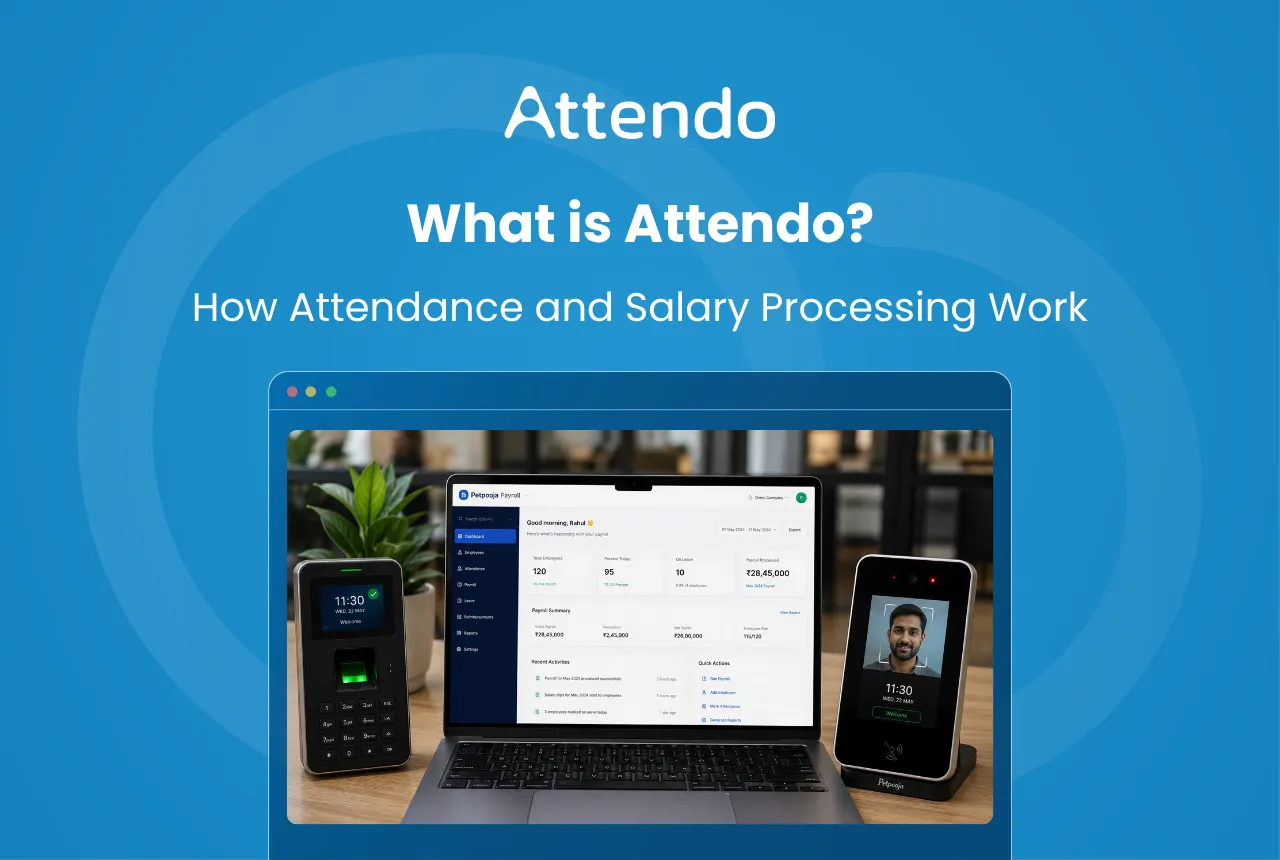
Most businesses start with a register, a biometric machine, or a spreadsheet. Often all three, in different rooms.
That holds up while the team is small. Past twenty people it stops. A salary now rests on four separate records: who turned up, who was on leave, which shift they worked, and what overtime they earned.
Kept apart, they disagree. One missed punch or a leave entry logged late is enough to make a payslip wrong.
Attendo closes that gap by selling the device and the software together. The machine at the door and the system that works out the salary are the same product.
Key Takeaways
- Attendance is captured on the device and feeds salary directly, so nothing is retyped between the entrance and the payslip
- Three devices are available: the Biometric for fingerprint, the Biometric Pro adding NFC and door access, and the Face Scanner for touchless recognition
- One device covers up to 750 employees, or 3,000 on the Face Scanner, and every device carries a lifetime warranty
- PF, ESIC, Professional Tax, TDS and Labour Welfare Fund are all calculated inside the payroll run
- The dashboard, the Admin App and the Employee App all read from the same data
Why Payroll Management Becomes Difficult for Businesses
Payroll is not really a calculation. It is a reconciliation of records gathered across the whole month.
Five of them:
- employee attendance entries
- leave approvals and leave balances
- shift schedules and shift changes
- overtime hours
- statutory deductions and adjustments
Spread across separate sheets, they drift apart.
A worker forgets to punch in. A leave request is approved on the 29th but entered on the 2nd. Neither is anyone’s fault, and both surface as a correction on next month’s payslip.
The bigger the team, the longer that reconciliation takes. It is the usual reason businesses join the two systems up.
How Does Attendo Turn Attendance Into Payroll?
Nothing is copied between systems, because there is only one system.
Four stages:
- Attendance capture
Employees mark their attendance through biometric devices, face scanner machines, or the Employee App. - Attendance data synchronisation
Once attendance is recorded, the data automatically syncs with the payroll system. - Attendance processing
The system processes attendance data along with shift schedules, leave records, and overtime hours. - Payroll calculation
Based on this information, the system calculates salaries and generates payroll records.
Because attendance data is already available within the system, businesses do not need to manually transfer attendance records while processing payroll. The full attendance-to-salary walkthrough covers each stage in more detail.
Example
Take a 25-person supermarket in Indore. Staff punch in on a fingerprint device through the month. On the 30th, the shifts, leave and overtime are already sitting against each name.
The owner reviews and approves rather than rebuilds.
Attendo Features for Attendance and Payroll
The modules below all read from the same data, which is what keeps a payslip tied to what actually happened at the door.
The core ones:
Attendance Tracking Integration
Businesses can capture employee attendance using multiple methods, including:
- biometric attendance devices
- Biometric Pro devices
- face scanner devices
- mobile attendance marking
Punches reach the dashboard in under two seconds, so the month builds itself as it goes.
Shift and Leave Management
Shifts and leave are set once and applied to everyone on that roster. An admin manages:
- shift timings
- shift assignments
- leave applications
- leave balances
Both update the pay record as they are approved, not at month-end.
Automated Salary Calculation
Attendo calculates salaries using attendance and workforce data such as:
- attendance records
- overtime hours
- leave deductions
- defined salary structures
This reduces the need for manual calculations during payroll processing. To check a figure by hand, our salary per day calculator uses the same inputs.
Compliance and Statutory Support
Payroll processing in India often requires businesses to account for statutory deductions. Attendo supports calculations related to statutory components such as:
- Employees Provident Fund (EPF)
- Employee State Insurance (ESIC)
- Professional Tax (PT)
- Tax Deducted at Source (TDS)
- Labour Welfare Fund (LWF)
Each is auto-calculated inside the pay run, with Professional Tax applied at the rate for the branch’s own state. When slabs change mid-year, TDS can be recomputed in bulk rather than employee by employee. Where a deposit has already run late, our PF interest calculator works out what the delay has cost.
Web Dashboard for Payroll Management
The dashboard is where the work actually happens:
- configure salary structures
- manage employee records
- review attendance data
- process monthly payroll
- generate payroll reports and payslips
Everything else mirrors it.
Admin App
The Admin App is the dashboard on a phone. Same login, same records, smaller screen.
Through the mobile app, owners can:
- review attendance summaries
- monitor employee activity
- receive attendance notifications
- check payroll updates
Leave approvals and payroll runs can both be handled from it.
Employee App
Employees get their own view through the Employee App, available in 11 Indian languages. Using the app, employees can:
- check attendance records
- view payslips
- apply for leave
- review their attendance calendar
It answers the questions staff would otherwise bring to HR in the last week of the month.
Who Uses Attendo for Attendance and Payroll?
Industry matters less than one question: does the number of days somebody worked change what they are paid?
Attendo is used across a wide range of sectors:
- Manufacturing
- Corporate offices and professional workplaces
- Hospitality establishments
- Retail outlets
- Educational institutions
- Healthcare organisations
- Automobile businesses
- Real estate companies
- Trading and distribution businesses
- Service-based organisations
Each picks the device that suits the site. The Biometric for a small office. The Biometric Pro where a door needs controlling. The Face Scanner for a busy factory gate.
From there the path is the same whichever device is on the wall.
Shift work and multiple branches are where it earns its keep.
Benefits of Connecting Attendance to Payroll
What changes, in practice:
- Reduced manual payroll work
- Improved visibility into employee attendance
- more consistent salary calculations
- faster payroll processing cycles
- organised payroll documentation
The saving is not really in the calculation. It is that the month’s record was never broken in the first place, so there is nothing to rebuild on the 30th.
That gap widens as the team grows, which is why what Attendo includes is worth checking against your own headcount.
Attendo vs Manual Payroll Management
A spreadsheet handles eight people without complaint. At forty it needs a full day a month and somebody who knows where the formulas are.
The manual version means gathering four records from three places before anything can be worked out.
A connected system removes the gathering step.
| Payroll Activity | Manual Payroll | Using Attendo |
|---|---|---|
| Attendance tracking | Registers or spreadsheets | Biometric or face scanner devices |
| Payroll calculation | Manual salary calculation | Automated salary calculation |
| Attendance visibility | Limited visibility | Real-time attendance tracking |
| Payroll records | Multiple files or sheets | Centralised payroll records |
| Reporting | Manually prepared reports | Automated payroll reports |
The data is already there by the time payroll runs.
Attendance Hardware Devices in Attendo
Every device captures punches and syncs them to the dashboard on its own, online or off. Three are available, and they differ in how a punch is read and how many people one unit can hold.
Biometric Device
The Biometric is the entry device in the range, a fingerprint attendance terminal designed for everyday workplace use. Employees mark their attendance using a capacitive fingerprint sensor, which verifies identity and records punch entries. Our post on face recognition attendance compares the three devices.
Key capabilities include:
- Fingerprint-based attendance verification
- Dual-band Wi-Fi connectivity (2.4 GHz and 5 GHz)
- Local punch storage when internet is unavailable
- Automatic data sync when the device reconnects
- Fingerprint resolution of 508 DPI with high accuracy
The device can store up to 750 employees and 60,000 punch records, which covers most single-site teams.
Biometric Pro
The Biometric Pro sits in the middle of the range. It carries the same 508 DPI sensor as the Biometric and adds NFC card punching, a colour display and door-access control.
It adds door-access control on top of fingerprint attendance, and supports:
- Fingerprint authentication
- NFC card-based identification
- Cloud and offline attendance sync
- 2.4″ TFT display with audio prompts
- Wi-Fi and Ethernet connectivity, with Ethernet preferred where the device also controls a door
The device stores up to 750 employees and 60,000 punches. A supercapacitor holds its clock through a power cut, so punches taken during an outage keep the right time.
Face Scanner Device
The Face Scanner enables touchless attendance using facial recognition technology. It is designed for workplaces that prefer quick and contactless authentication.
Important features include:
- Face recognition with AI-based liveness detection
- 5-inch HD touch display
- Dual camera system (RGB + IR) for accurate face scanning
- Support for NFC cards and passcodes
- Dual-band Wi-Fi and Ethernet connectivity
The device stores up to 3,000 users and 100,000 punches, which suits high-traffic entrances at factories, retail chains, hospitals and multi-branch businesses.
Whichever device is fitted, the punch reaches the dashboard the same way.
One vendor supplies both, so a missing punch is one phone call rather than two. The full feature breakdown covers what the software does with those punches.
When Is It Time to Move Payroll Off Spreadsheets?
The signals are fairly consistent:
Attendo may be useful for organisations that:
- manage employee attendance through biometric or face scanner devices
- calculate salaries based on attendance records and working hours
- operate multiple shifts or locations
- need better visibility into employee attendance and payroll data
- want to reduce manual payroll calculations
A textile unit in Tiruppur adding a second shift, or a clinic chain opening a third branch, usually hits two or three of these at once. We compare the two approaches in payroll software against doing it by hand.
That is the point at which the spreadsheet costs more than it saves.
Conclusion
Growth does not make payroll harder by adding rows. It makes it harder by adding places where the record can disagree with itself.
Attendo answers that by making the device and the software one purchase. What the machine at the door records is what the payslip is built from.
For a business running shifts across more than one site, that is most of the month-end work gone. The full feature set is on the Attendo site, device options included.
Frequently Asked Questions
1. What is Attendo?
2. How does Attendo calculate salaries?
3. Does Attendo support biometric attendance?
4. Can employees view their payslips in Attendo?
5. What size of business is Attendo built for?
Related Articles You May Like
What a Day of Leave Without Pay Actually Costs
Leave without pay does more than dock a day’s salary. It reaches your provident fund, your ESI, the service behind a gratuity payment and the balance you build for the year ahead.
Ashwiniba Vaghela
HR & Payroll Experts
How to Complete the ESI Registration Process in 8 Steps
Registration is online, real time, and needs no paper at all. The state that wants 20 workers where its neighbour wants 10, what the C-11 letter proves, and why the amnesty no longer helps.
Ashwiniba Vaghela
HR & Payroll Experts
Expected CTC: 7 Ready-to-Use Answers for Your Next Interview
The question asks what you would cost, not what you would receive. Seven lines to use in an interview, the reasoning that backs each of them, and why the law measures a different figure from the one in an offer.
Avani Joshi
HR & Payroll Experts
How the ESIC Claim Process Works for Employees
One form per benefit, one office, and a three-day rule on medical certificates that quietly costs people money. What each claim pays, and how fast ESIC has to pay it.
Avani Joshi
HR & Payroll Experts