Pay Your
Staff Right

Track attendance, calculate commissions, add tips, and run payroll across every branch - without spreadsheets or daily phone calls.
Attendo Dashboard for Spa & Salons
Trusted By40,000+
Businesses
CSSCS
Zepto
ISKCON
L&T Realty
La Pinoz Pizza
Jalpooree
Mapro
Medilink
Swish
Udaan
Mahamudra
KVS
The Problem

Where Salon Payroll Usually
Goes Wrong

  • Biometrics fail on wet or oily hands
  • Commission disputes → payroll day turns tense
  • Tips get split → someone feels shorted
  • Staff don't trust the attendance log
  • Branch totals don't match → daily phone calls
The Solution

Why Hardware & Software
Have to Work Together

  • Salon floors need more than fingerprints
  • (Face, PIN, or mobile captures reality)
  • Software turns hours into accurate pay
  • One system, no gaps, no guesswork
Features

Built For Salons and Spas

Capture attendance even with wet or gloved hands

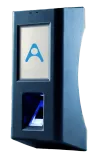
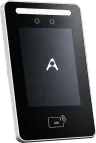
Face recognition, mobile check-in, and PIN work when fingerprints can't. Your team marks attendance in seconds, without fighting the device.

Pay commissions without chasing service logs

Each service gets logged to the stylist who performed it, with your rates applied.

Commissions reach payroll clean - no spreadsheets, no recounts

Staff or front desk record tips (commission) against the right person. Variables appear on payslips clearly, so nobody feels shorted.

Handle leaves and cover shifts without chaos

Staff request leave or swap shifts from the app - manager approves in one tap. The rota updates itself, and payroll reflects who actually worked.

See every branch from one dashboard

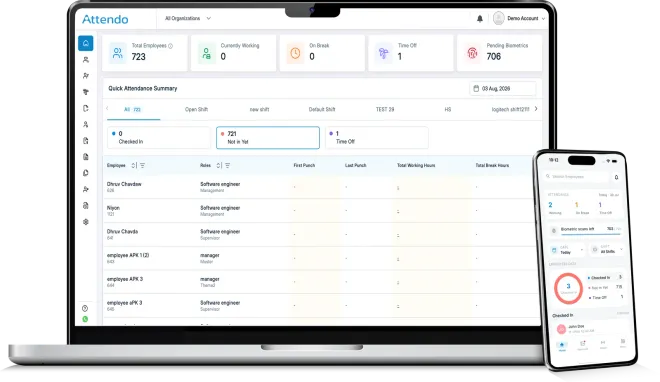
Attendance, hours, and payroll from every branch roll into one view. You stop chasing managers on calls and texts, and trust what you see.

Let staff check their own hours and pay

Each team member opens the app and sees their shifts, services, tips, and payslip. Questions drop at month-end, and you spend less time explaining who did what.

Track advances, product sales, and deductions automatically

Cash advances, loans, product purchases, and product-sale commissions are all logged against each person. Everything settles in payroll, with nothing forgotten.

Add new hires in minutes

Set shift patterns, commissions, and pay rules once, then apply to every new hire. Your next stylist is ready for payroll on day one.

Customer Stories

Businesses Who Switched to
Peaceful Payroll

  • “We used to spend 3-4 days every month just chasing attendance, calculating salaries, and correcting mistakes. After switching to Attendo, all of that happens automatically. Our salary goes out on the 1st, every month, without any last-minute panic.”

    Kala YadavOwner, Kala Salon

  • “Before Attendo, every month-end was a nightmare. Attendance sheets were wrong, calculations took forever. Now everything is ready before the 1st. I haven't touched a spreadsheet in months.”

    Nirmal SokhalOwner, Sitara Group

Got Questions? Let's Talk.

Book a free 10-minute demo. We'll show you exactly how Attendo fits your salon or spa.
FAQ

Payroll For Salons & Spas
FAQs

What is the best payroll software for salons and spas across multiple locations?
The best payroll software for salons and spas is like Attendo that handles commissions, variable hours, and multi-location attendance in one place. You don't want separate tools for rota, attendance, commission math, and payroll. A good fit runs all of it together, so numbers match at month-end without extra work.
How does the software calculate commission on services performed by each stylist or therapist?
Commissions on services are calculated automatically, using the rates you set for each staff member or service type. Every service gets linked to the person who performed it at the time of booking or checkout. When payroll runs, commissions are already totaled - no manual spreadsheets, no disputes over who did what.
How does the system record and split tips fairly between stylists, assistants, and the wider team?
Tips are recorded against each staff member or pooled based on the rule you choose - by service, by shift, or a custom split. Cash and card tips are both supported, and every entry shows up on the person's payslip. Your team sees exactly what they earned, which is usually where tip disputes start and end.
Does biometric attendance work in a salon when hands are wet, or oily?
Biometric attendance with fingerprints often fails in salons because of creams, oils, or water. That's why we also offer face recognition devices, and mobile check-in from a trusted device. Your staff always has a reliable way to clock in - even in the middle of a service.
Can one owner manage payroll and attendance across multiple salon or spa branches from a single account?
Multi-location management is handled from a single dashboard that rolls up every branch's attendance, hours, and payroll. Each branch manager sees only their team, while you see everything across the group. You stop relying on daily phone calls and messages to know what's really happening in each salon.
Can I use the payroll software if I don't have an in-house HR team or HR manager?
You can run everything without a dedicated HR team - the software is built for owners and managers, not HR specialists. Setup uses simple forms, rules are set once, and payroll runs on a schedule. Most salons handle day-to-day operations with the front desk or a branch manager alone.
How does the system handle part-time, hourly, and commission-only staff alongside full-time employees?
Part-time, hourly, and commission-only staff are supported alongside your full-time team in the same payroll run. You choose the pay structure per person - salary, hourly, commission-only, or a mix. Attendance, hours, and commissions feed into each payslip based on the rules you set for that role.
How long does it take to set up payroll and attendance for a new salon or spa?
A single-location salon can usually get started in a few days, once your staff list, shift patterns, and pay rules are ready. Multi-branch groups take a little longer, mostly for hardware placement and staff onboarding. Our team guides you through setup, so you don't have to figure it out alone. After that, local tax and labor rules are applied based on where you operate.