
Resources · FAQs
Frequently Asked
Questions
Everything you need to know about Attendo - how the software works, how the devices work, and how they work together.
Category
Payroll & Attendance
How does attendance connect to payroll?
Attendance captured from the device syncs directly into the payroll system. Salaries are calculated automatically based on approved attendance, shifts, and leave data.
Can attendance be edited if there's a mistake?
Yes. Admins can edit attendance records with proper access controls. All changes are logged for transparency.
Does this work for night shifts and rotational shifts?
Yes. You can create multiple shifts and assign them by role, department, or location - including night and rotating shifts.
Can employees punch attendance from anywhere?
Yes. Employees can punch in from anywhere. If you want to limit that, geo-fencing and geo tracking restrict punches to approved locations only.
Is this suitable for monthly and hourly employees together?
Yes. The system supports both fixed monthly salaries and flexible salaries like hourly, daily, or weekly wages within the same organisation.
How are salary calculations done?
Salary is calculated in real time using attendance, approved leaves, loans, advances, and deductions - reducing month-end errors and eliminating manual recalculations.
Can I make bulk changes before payroll is finalised?
Yes. Controlled bulk adjustments can be applied across multiple employees in one step without breaking individual payroll calculations.
Does this handle PF, ESIC, and TDS?
Yes. Configure PF, ESIC, TDS, and other compliance rules once - the system applies them automatically every payroll cycle as per Indian statutory norms.
Can I download reports for CA or audits?
Yes. Generate and download payroll, compliance, and attendance reports anytime in structured formats ready for CA review or audit submission.
Will this reduce dependency on my accountant?
It significantly reduces manual corrections and follow-ups, while still allowing your CA to review structured payroll reports when needed.
How are leave requests handled?
Employees raise leave requests directly from the app. Admins approve or reject from a central dashboard, and the decision reflects in payroll automatically.
Do leave balances update automatically?
Yes. Leave balances update automatically after every approval and are reflected directly in payroll - no manual adjustments required.
What if someone applied leave on WhatsApp or verbally earlier?
Admins can manually adjust records during the transition period without affecting payroll accuracy. All adjustments are logged for transparency. If you are moving from another tool, the comparison hub has the side-by-side pages we have published so far.
What can employees see on their app?
Employees can view attendance, leave balances, apply for attendance correction, upload documents, apply for leaves, check notifications, and download payslips - all from their mobile.
Is this suitable for growing businesses?
Yes. Attendo scales as your team and payroll complexity grows - with no extra charges for additional features or modules as your business expands. Nothing is held back for a higher tier — the feature set page lists what every module does.
Category
Biometric Devices
What happens to attendance data if the internet fails?
All devices store punch data locally when the internet is unavailable. Once the connection is restored, all offline punches sync to the cloud automatically. No data is lost and no manual transfer is needed.
Can employees manipulate punching?
No. Each punch is verified against the registered fingerprint or face of that individual employee. The device will not accept a punch from anyone else. Proxy attendance is not possible.
How does this reduce payroll disputes?
Both the employer and the employee see the same attendance data in real time. Every punch is timestamped and logged automatically. When a dispute arises, the record is already there - no manual cross-checking needed.
Who will install the devices?
Our team handles on-site installation. A technician visits your location, installs the device, and walks you through the setup before going live.
Is the device strong enough to be used in factories and manufacturing units?
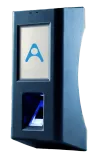
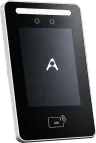
Yes. The Face Scanner Device carries an IP44 protection rating and is built with an aluminium body, making it suitable for dusty, high-traffic, and demanding environments. The Biometric and Biometric Pro are dust and splash resistant.
Does the admin have edit controls?
Yes. Admins can edit attendance records where needed. Every edit is logged with the date and name of the person who made the change, so the history stays intact.
Still have questions?
Let's answer them together.
Book a free 10-minute demo. We'll walk you through the system and answer anything you'd like to know.