


Every Feature
Inside One Connected System
From Punch to Payslip - Fully Synced
01 - Feature
Time & Attendance
Attendance Synced With Payroll: Every punch lands on the payroll. Device, mobile, or field every entry feeds the employee's salary directly. No re-entry at month-end.
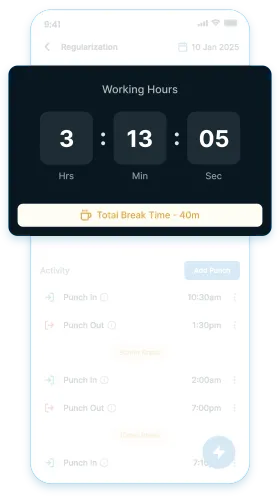
Capture each punch from the device and mark attendance status like present, late, or half-day based on the rules set by you.
A photo is captured automatically every time an employee punches from the app. Visual proof of every entry. No buddy-punching.
Choose how punches are read — count every punch, take only the first and last of the day, or mark present on a single punch. A factory floor and a kitchen do not work the same way.
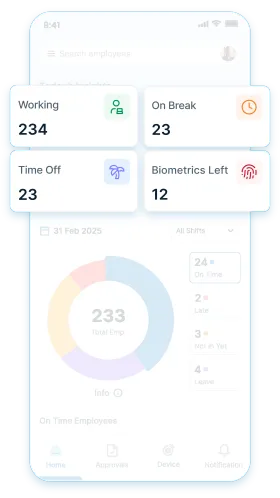
View pending approvals, attendance summaries, and payroll progress across the organisation from the main dashboard screen.
Each employee can view their own attendance history and current leave balance at any time, without contacting HR or waiting for month-end.
Switch between 11 Indian regional languages including Marathi, Tamil, Gujarati, and Odia based on the employee's phone setting. No separate setup is needed per employee.
Receive daily attendance summaries, mentioning who came, who didn't, and more on WhatsApp daily.
02 - Feature
Shifts & Roster
Shifts Set Once, Applied Daily: Define how each team works and the system decides who is late, who is on a week-off, and whose hours count as overtime.
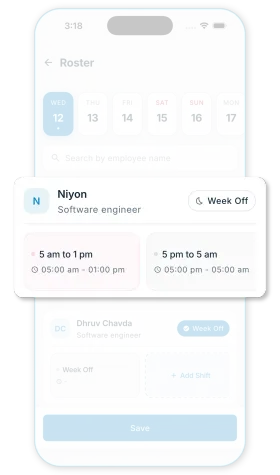
Create shifts once. Assign by role, department, or branch. Day, night, rotating, and alternate week-offs apply on their own.
Plan a seven-day roster in a grid view with employees as rows and dates as columns. Filter by branch, save, and export when the plan is ready.
Log a set break duration automatically when employees do not punch out for breaks. Working hours stay accurate without enforcing extra punches.
Apply a shift change to many employees at once, with an effective date set in the future for a planned change.
Assign different shift structures to departments, locations, and roles based on how your teams work. The system adjusts to how your teams actually work.
03 - Feature
Leave & Holidays
Consolidated Leave Records: Every leave request, approval, and balance in one place. Each approved leave reflects that month's salary.
Set up paid, unpaid, earned, comp-off, and any other leave type your organisation uses before employees begin submitting requests.
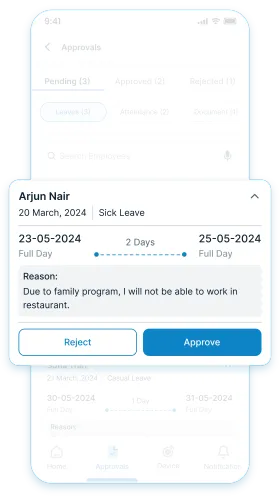
Raise leave requests from the mobile app or web portal. The request reaches the right approver directly.
Update leave balances as soon as a request is approved. The salary deduction for that leave appears in the same month's payroll.
Pay out unused leave monthly or yearly. Use the standard calculation or build your own formula when your policy works differently.
Carry forward comp-offs earned on holidays and week-offs. Set the frequency, and decide whether the unused balance is encashed or lapses.
Build a holiday list once and assign it to a branch, a department, or a set of employees. Multi-day festivals are added as a single date range.
Edit or reverse leave entries when needed. Each change is saved with the date and name of the person who made it, so the history stays intact.
04 - Feature
Payroll & Payout
Payroll Ready Before Month-End: Keep salaries calculated through the month so payroll is ready to approve by the month end.
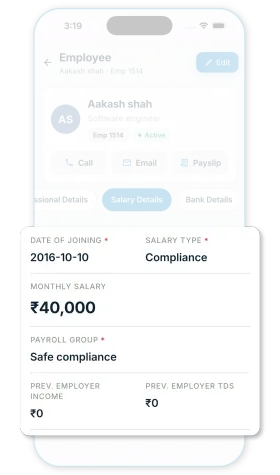
Update each employee's salary figure automatically with every approved attendance entry. Month-end is a review step, not a calculation exercise.
Run fixed monthly salaries, weekly pay, and hourly pay — all within the same organisation.
Group employees who share the same salary rules, attendance mode, and compliance settings, then process each group on its own. Three groups are ready from day one monthly with compliance, monthly without, and hourly.
Build the salary components your organisation already uses like basic, allowances, and anything else, and the system calculates from that structure each month.
Apply changes across multiple employees in one step before payroll is finalised, without affecting the individual calculations underneath.
Record each advance against the employee's profile along with the repayment schedule. Both the employer and the employee can view the record at any time.
Each cycle's installment is deducted on its own. Deductions continue until the loan clears. Balance and history live on the employee's profile.
Some employees don't take their full salary each month — they keep a portion with the owner and ask for the lump-sum later. The system tracks what's earned, paid out, and what's still pending. When the employee asks for the balance, it settles in one go.
Once payroll is finalised, attendance, leaves, and advances for that period cannot be edited. The numbers you approved stay the numbers on record.
Download the salary payout file in the format your bank accepts and upload it for bulk transfer.
Access salary slips on the app as soon as payroll is approved for the month.
Scale to new employees, branches, or payroll complexity without any reconfiguration. The system scales without a separate setup process.
05 - Feature
Overtime & Penalties
Calculate Extra Hours and Deductions: Set the rules once. The system applies them to every cycle without a fresh decision each month.
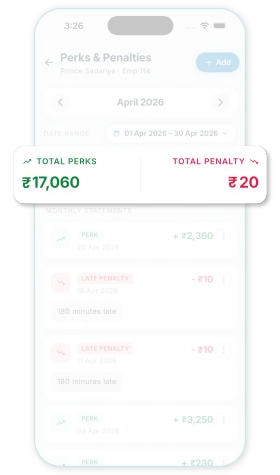
Set a grace window before overtime starts counting, and round it to 1, 15, 30, 45, or 60-minute intervals. Small overruns don't become a payout, and sustained extra hours are paid fairly.
Decide whether standard hours on a week-off are paid or not.
Define how late arrivals, overtime, half-days, and deductions are handled. The system applies these rules from the first payroll cycle onward.
Charge a deduction at the same amount every month, or scale it down for days the employee was absent. Canteen and transport charges follow attendance; a loan EMI does not.
06 - Feature
Compliance
Compliance Ready Payroll: Configure the statutory rules once and the system applies them every cycle, per employee, on the salary slip.
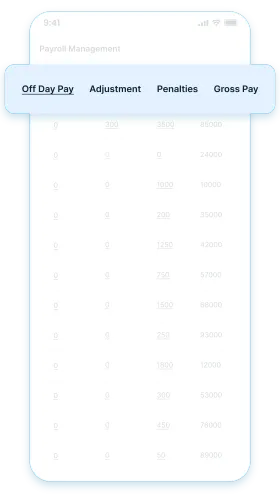
Configure PF, ESIC, TDS other compliance rules & deductions once and the system applies them automatically every payroll cycle. The system applies them every cycle, per employee, on the salary slip.
Enter a new joiner's previous employer salary and TDS already paid so the year's tax is projected correctly. Override any month manually, and recalculate across a whole payroll group when declarations change.
Use the standard calculation, or write your own in a formula field when your contribution policy is above the statutory minimum.
Professional Tax and Labour Welfare Fund rates apply according to each branch's state. A business running outlets across states does not maintain separate rules for each one.
07 - Feature
Geo Track
Attendance That Knows Where It Happened: For teams that don't sit at one location, the punch carries the place along with the time.
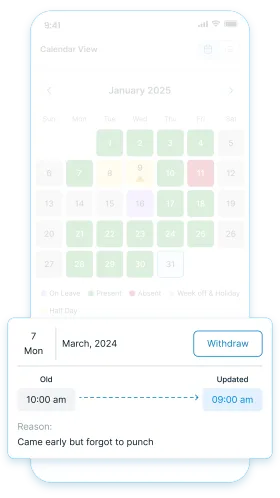
Set a boundary around the shop, branch, or site. Punches outside it don't register. Field employees' GPS is logged with every entry.
See where field employees are and how they moved through the day with Geo Tracking. Routes, distance, last activity without calling.
Punch an employee out automatically when they leave the site boundary or switch off location on their phone. No more shifts left running overnight because someone forgot to punch out.
If an auto punch-out fires for someone who never punched in, the entry is still captured and flagged for the admin to review. Nothing goes unrecorded.
08 - Feature
Reports
Complete Visibility: Admins can check what is happening across teams, branches, and payroll at any point.
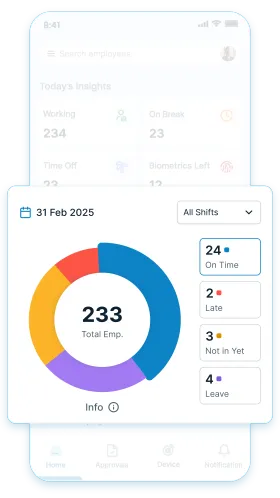
Filter attendance and payroll reports by employee, team, location, or time period and download them at any point in the month.
Download the muster in the format Indian inspections expect — full days, half days, absents, week-offs, leaves, and holidays, per employee.
Export PF, ESIC, PT, TDS, and LWF figures in a format ready to upload to the relevant portal.
Download payroll, attendance, and compliance reports for any period, employee, or department at any point — without waiting for the month-end.
09 - Feature
Admin Control
Control Who Does What: Every action in the system is saved and traceable.
According to their role, control what your staff can view, approve, or edit. Anything outside their role is not accessible to them.
Build a permission set once for a role like accountant or branch manager, and apply it to every new user. Rights are granted per action view, create, edit, or delete so a user can review payroll without being able to change it.
Track every approval, edit, and payroll action with the time and name of the person who made it. Any entry can be traced back when needed.
Add custom employee details your organisation tracks beyond the standard fields date of birth, emergency contacts, documents, or anything specific to your business.
Review each branch on its own, or switch to a combined view that shows the full organisation's data from the same login.
Owners running more than one organisation switch between them from the same login, without signing out.