


Attendo (formerly Petpooja Payroll): Attendance to Salary
Attendance, leave, shifts and overtime all land in the same salary figure. Here is the path a punch takes to become a payslip.
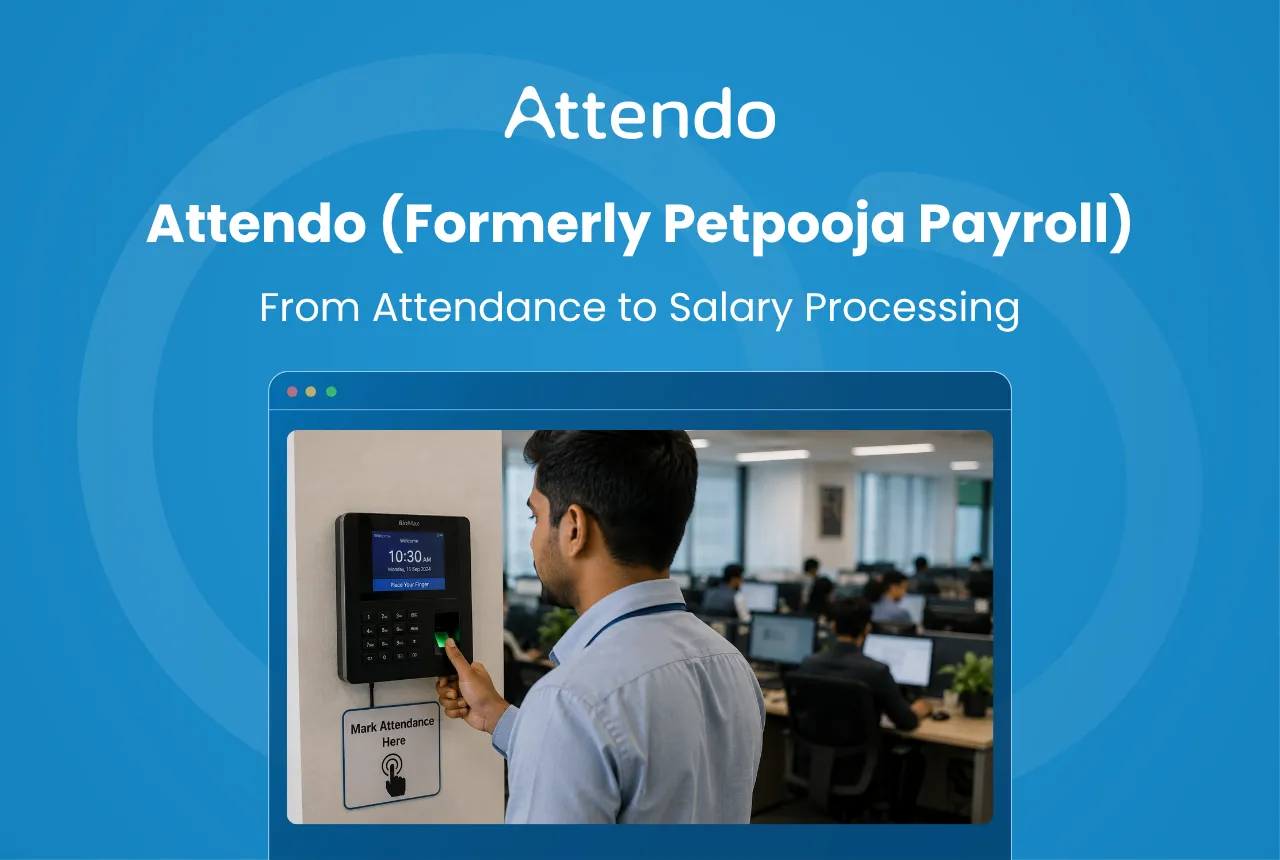
Salary is rarely just a fixed figure. What lands in the bank depends on days worked, leave approved, the shift somebody was rostered on, and overtime earned.
When those four live in four places, month-end turns into reconciliation. Somebody has to check every figure before a single payslip goes out.
Attendo closes that gap. The punch at the door and the figure on the payslip sit in the same system, so there is nothing to reconcile between them.
A device, the software and three mobile apps make up the package. This is how a punch becomes a payslip, stage by stage.
Key Takeaways
- Attendance is captured at the device, so the salary calculation starts from recorded data rather than a register copied out at month-end
- The workflow runs in four stages: capture, synchronisation, processing, then payroll calculation
- Three attendance devices are available: Biometric for fingerprint, Biometric Pro for fingerprint and NFC card, and the Face Scanner for face recognition
- Shift timings, approved leave, overtime and late arrivals are all applied before the payable figure is produced
- Payroll output includes the Bank Transfer Report, the file used to push salaries to bank accounts
The Role of Attendance in Payroll Processing
For most Indian businesses, days worked drive the salary figure directly. A textile mill in Tiruppur running two shifts and a diagnostic lab chain in Pune both pay against what the register says.
Four records feed every pay run:
- Attendance entries
- Leave approvals
- Shift schedules
- Overtime hours
Get one of them wrong and the salary is wrong.
A missed punch costs the employee a day. Unrecorded overtime costs them the hours they actually worked. Both surface after payday, which is the worst time to fix either.
This is why attendance and salary are worth keeping in one system rather than two.
In Attendo, the punch record is the base the salary is built from.
The Attendo Attendance-to-Salary Workflow
The workflow starts at the door, not at month-end. Punches are captured and processed as they happen, so nothing has to be gathered up later.
Devices, payroll software and reporting all read from one set of data. Four stages take a punch to a payslip.
Step 1: Employee Attendance Capture
Stage one happens at the entrance. Staff clock in when they arrive and out when they leave. If a legacy machine is already on the wall, the device comparisons cover how Attendo’s own hardware differs.
There are four ways to do it:
- Biometric device (fingerprint scanning)
- Biometric Pro device
- Face scanner device (facial recognition)
- Mobile punching through the Employee App
When an employee marks attendance, the system records the exact check-in and check-out time.
Because biometric identifiers are unique, the chances of proxy attendance are reduced. Our post on face recognition attendance covers how the devices differ.
Example attendance record:
| Employee | Check-in | Check-out | Method |
|---|---|---|---|
| Rahul | 09:05 | 18:02 | Fingerprint |
| Meena | 08:57 | 17:55 | Face recognition |
| Arjun | 09:10 | 18:12 | Fingerprint |
Every punch is stored as it happens. That record is what the next stage works from.
Step 2: Attendance Data Synchronisation
Stage two moves the punches off the device and into the dashboard.
This runs on its own once the device is online. Punches reach the dashboard in under two seconds, where a manager can see the day as it unfolds rather than a fortnight later.
Each entry carries:
- employee name or ID
- check-in time
- check-out time
- attendance method used
For example, a synchronised attendance record may appear like this:
| Employee | Date | Check-in | Check-out |
|---|---|---|---|
| Rahul | 12 Feb | 09:05 | 18:02 |
| Meena | 12 Feb | 08:57 | 17:55 |
| Arjun | 12 Feb | 09:10 | 18:12 |
A manager can correct a wrong entry here, while it still costs nothing to correct.
From here the records move to processing, where shifts, leave and overtime are applied.
Step 3: Attendance Processing
Stage three decides what each entry is worth. A punch is not automatically a full day.
Four things are weighed:
- shift timings
- approved leave records
- overtime hours
- late arrivals or early exits
Together they produce the payable days and hours for the month. A month with an odd number of holidays is worth checking against the working days calculator before payroll runs.
Someone who stays past their rostered shift earns overtime, once past the buffer and rounded to the interval set for that shift. Someone on approved leave is counted according to your leave policy, which is not the same as being absent. A fabrication unit in Rajkot running a night shift will treat both differently from a corporate office. If you want to see the buffer and interval logic laid out, our overtime calculation template shows it in a spreadsheet.
Example attendance processing summary:
| Employee | Working Days | Leave Days | Overtime Hours |
|---|---|---|---|
| Rahul | 26 | 2 | 4 |
| Meena | 27 | 1 | 2 |
| Arjun | 25 | 3 | 0 |
Once attendance records are processed, the system prepares the data required for salary calculations. For a quick read on how a month is tracking, there is an attendance percentage calculator on the site.
That output is what payroll runs on.
Step 4: Payroll Calculation
Stage four turns the processed days into money.
Five inputs go in:
- total working days
- number of days present
- approved leave days
- overtime hours
- salary structure
The core formula is simple:
Payable Salary = (Days Worked ÷ Total Working Days) × Monthly Salary
Example:
| Item | Value |
|---|---|
| Monthly Salary | ₹40,000 |
| Total Working Days | 30 |
| Days Present | 27 |
Calculation:
Payable Salary = (27 ÷ 30) × 40,000 = ₹36,000
Because the days were settled in stage three, this step is arithmetic rather than reconstruction. Our salary per day calculator runs the same formula against your own figures.
What follows is review, approval, and payslips.
Attendance Hardware and Payroll Software in Attendo
The two are sold as one package, and how it fits together matters more than either part alone. The device that reads the fingerprint and the system that calculates the salary come from the same vendor.
That matters when a punch goes missing: there is one company to call, not two.
Four pieces make it up.
Attendance Hardware Devices
The wall-mounted machine staff punch into. It confirms who somebody is before it records anything, which is what stops one worker clocking in for another.
Businesses can use devices such as:
- Biometric device for fingerprint attendance
- Biometric Pro device, which adds NFC card punching and door-access control on top of fingerprint
- Face scanner device for facial recognition attendance
Every device carries a lifetime warranty, and installation is done by Petpooja’s team.
Web Payroll Dashboard
The dashboard is where an owner or HR manager does the work.
Through the dashboard, businesses can:
- Manage employee records
- Review attendance data
- Process payroll calculations
- Generate payroll reports and payslips
It is the full workspace; everything else mirrors it.
Admin App
The Admin App gives owners and HR the dashboard on a phone. It runs on the same login and the same data, so anything done on the web dashboard can be done here too.
Through the mobile app, owners can:
- Review daily attendance and summaries
- Approve or reject leave requests
- Process payroll and manage employee records
- Run reports and receive attendance notifications
Employee App
Employees can access their own payroll and attendance information through the Employee App, which is available in 11 Indian languages.
Using the app, employees can:
- Check their attendance records
- View salary payslips
- Apply for leave
- Review their attendance calendar
It answers the questions staff would otherwise bring to HR, which is most of what an HR inbox fills up with in the last week of the month.
Which Industries Use Attendo for Attendance and Payroll?
The problem is not specific to one sector. Anywhere days worked decide what people are paid, the same reconciliation appears.
Attendo is used across several sectors in India. Most run shifts, multiple sites, or both.
Some of the industries where Attendo is commonly used include:
- Manufacturing units and factories
- Corporate offices and service companies
- Hospitality, including hotels and restaurants
- Retail outlets and stores
- Educational institutions
- Healthcare organisations and clinics
- Automobile businesses
- Real estate companies
- Trading and distribution businesses
- Salons and spas, where staff work rotating chair shifts
A supermarket chain with six branches cannot ring each store manager on the 30th to ask who turned up. One dashboard covers every branch, which is why multi-site and franchise operators tend to move first.
When Should Attendance and Payroll Move Into One System?
Most businesses start with a register or a spreadsheet, and at eight employees that is genuinely fine. It stops being fine somewhere around twenty, which is where a growing business usually starts looking. We have set the two approaches side by side in payroll software against doing it by hand.
These are the signals:
- Growing employee teams where manual attendance tracking becomes difficult
- Attendance devices already in use such as biometric or face recognition machines
- Multiple shifts or work schedules that require organised tracking
- Multiple branches or locations where attendance data needs to be centralised
- Frequent payroll adjustments caused by attendance errors or manual calculations
A garment showroom chain across three cities loses days each month just gathering registers. With devices feeding one dashboard, that collection step disappears.
The saving compounds every cycle, and it grows with the team.
Conclusion
Payroll gets harder as a business grows, and it gets harder in a specific way: more places for the four records to disagree.
Attendo removes the gap between them. The device records the hours and the same system turns them into salary, with no export or re-entry in between.
Where attendance decides pay, that is the difference between a two-day month-end and a two-hour one. See what Attendo includes if you want to work out which part of that your own month-end is losing.
Frequently Asked Questions
1. What is Attendo?
2. How does Attendo calculate salaries?
3. Does Attendo support biometric attendance?
4. Can employees check their attendance and payslips?
5. What size of business is Attendo built for?
6. Does Attendo transfer salaries to bank accounts?
Related Articles You May Like
Geo Tracking Attendance in Attendo (formerly Petpooja Payroll)
What gets recorded when a field employee is tracked, how the licence is billed, and when plain attendance with a geofence is the better answer.
Avani Joshi
HR & Payroll Experts

Field Sales Attendance: Attendo (formerly Petpooja Payroll)
How field sales attendance actually gets verified, what GPS and a selfie prove together, and where the payroll leak really comes from.
Avani Joshi
HR & Payroll Experts
Attendo (formerly Petpooja Payroll) Face Recognition Attendance
Which attendance device suits your floor, what a face scanner does that a card cannot, and when a fingerprint reader is still the better buy.
Avani Joshi
HR & Payroll Experts
How Half Day Leave Works, and What It Costs
Most guides treat half day leave as a fixed entitlement with fixed rules. It is not one. Here is what the codes actually settle, what your own policy has to, and how much money sits on the difference.
Ashwiniba Vaghela
HR & Payroll Experts