


7 Leave Application for Office Formats You Can Copy and Send
Need a day or a month off? Copy one of these 7 leave application for office formats, from sick leave to maternity, and send a request HR can approve.
Listen to this article
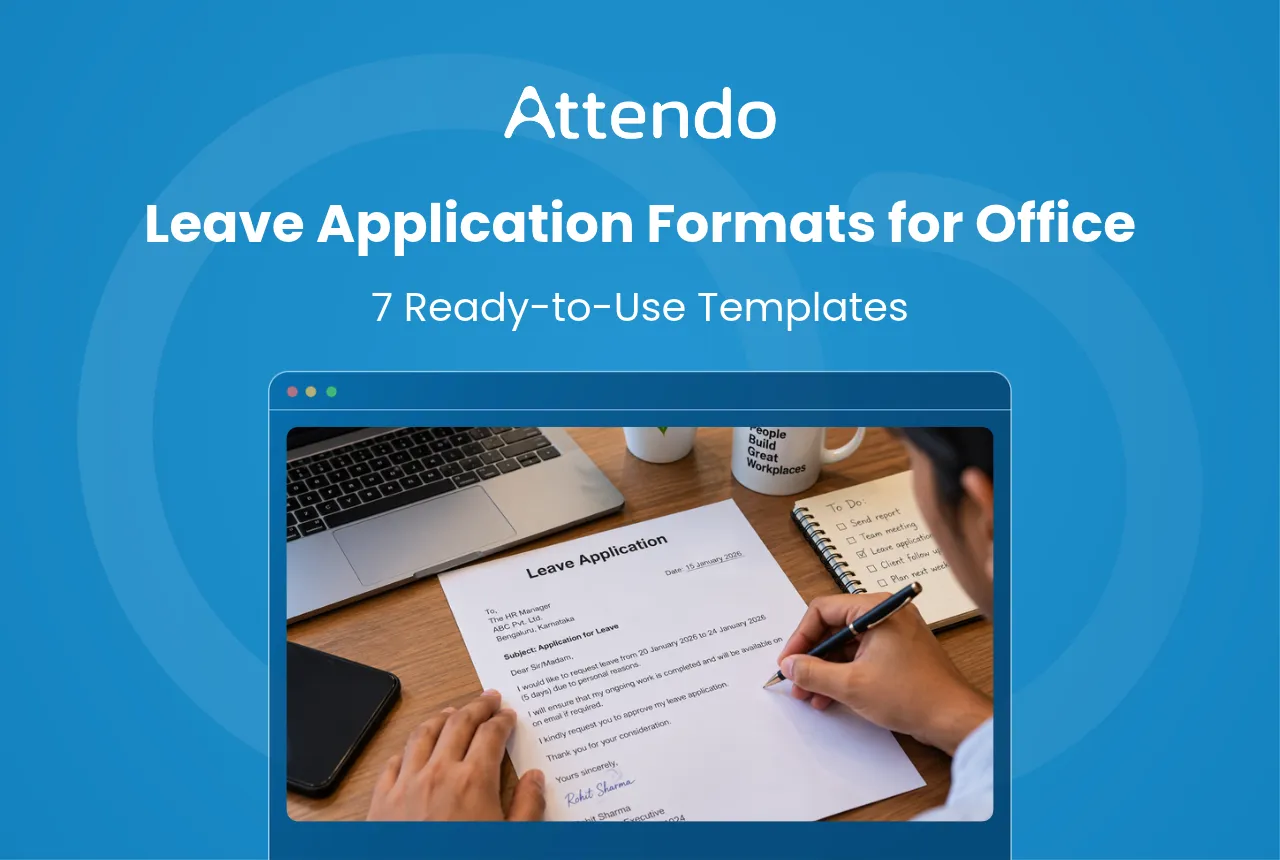
You need a day off, or a few weeks, and you have to ask for it in writing. What should the request say, and how should it look?
A good leave application for office is short. It gives the dates, the type of leave, a simple reason and who will handle your work. Below are seven formats you can copy, change and send.
Key Takeaways
- A leave application has seven parts. Subject, greeting, dates, leave type, reason, handover and a sign-off with your employee ID.
- Apply in writing, and early. In some large establishments, the Model Standing Orders, 2026 ask for seven days’ notice for planned leave.
- Unplanned leave still needs a note. If you fall ill or something urgent happens, put it in writing as soon as you can.
- Check your balance first. Leave taken past it is normally cut from your salary.
What Is a Leave Application for Office?
A leave application for office is a short written request to your manager or human resources (HR) for time off on set dates. It can be an email, a letter or a request in your company’s HR app.
It does two jobs. It asks for approval, and it leaves a record that payroll uses to decide whether the days are paid.
In Simple Words
It is a short note to your boss. It says which days you want off and why. It helps you get paid right.
Before you prepare one, check how much leave you have.
Under the Occupational Safety, Health and Working Conditions Code (OSH Code), an adult worker in an establishment with 10 or more workers earns one day of annual leave for every 20 days worked, after 180 days of work in the calendar year.
“Worker” is the Code’s word. It leaves out managers and administrators. It also leaves out supervisors earning over ₹18,000 a month, or more if the government raises that limit.
Joined mid-year? You earn annual leave once you have worked a quarter of the days left in the year. Join on 1 July, and about 184 days are left, so you qualify after about 46 days of work. The earned leave calculator works out your own balance.
What a Leave Application for Office Should Contain
Every leave application follows the same pattern, so put these seven parts in this order:
- Subject line. What the request is and the dates, so your manager knows what it is before opening it.
- Greeting. “Dear [Manager’s name],” is enough.
- Dates and total days. The first and last day, and how many days in all.
- Leave type. Casual, sick, earned, marriage, maternity or unpaid, as your policy names it.
- One-line reason. Short and clear. Private details are not needed.
- Handover. Who covers your work while you are away.
- Sign-off with employee ID. Your name and ID, so HR can find your record.
Put together, the basic format looks like this:
Subject: [Leave type] application from [first day] to [last day]
Dear [Manager’s name],
I would like to apply for [leave type] leave from [first day] to [last day], [number] days in all, for [one-line reason].
[Colleague] will handle [work] while I am away.
Regards, [Your name], [Employee ID]
The seven formats below fill in this pattern for each type of leave.
7 Leave Application Formats by Leave Type
Each one works as an email or a printed letter. Change the words in brackets, keep it short, and send it to your manager with HR in copy.
| Leave type | When to use it | What to attach or add |
|---|---|---|
| 1. Casual leave | A day or two of planned personal work | Who covers your work |
| 2. Sick leave | When you fall ill | A medical certificate, if your policy asks |
| 3. Emergency leave | Something sudden at home | A call or message first, then this |
| 4. Half day leave | A few hours away | The exact time out |
| 5. Marriage leave | Your own wedding | The dates, weeks ahead |
| 6. Maternity leave | An expected baby | A doctor’s note with the expected date |
| 7. Leave extension | You need more days while on leave | The new return date |
Pick the one that fits your leave, then copy it from below.
1. Casual Leave Application
Use this for a day or two of personal work, planned a few days ahead.
Subject: Casual leave application for [date]
Dear [Manager’s name],
I would like to apply for casual leave on [date] for [personal work, for example, a family function].
I have finished [urgent task], and [colleague] has agreed to handle [any open work] while I am away. I will be reachable on [phone] if anything urgent comes up.
Kindly approve my leave.
Regards, [Your name], [Employee ID]
2. Sick Leave Application
Use this when you are unwell. Send it on the first morning, before your shift or working day starts.
Subject: Sick leave application from [first day] to [last day]
Dear [Manager’s name],
I am unwell, and the doctor has advised rest for [number] days. I request sick leave from [first day] to [last day].
I will share a medical certificate when I return, if our policy needs one. [Colleague] can help with [urgent work] meanwhile.
Regards, [Your name], [Employee ID]
Sick leave rules differ by company and state. The sick leave guide explains what usually applies.
3. Emergency Leave Application
Use this when something sudden happens and you cannot give notice. Call or message your manager first, then send this.
Subject: Urgent leave request, [first day] to [last day]
Dear [Manager’s name],
Due to [emergency, for example, a family member’s hospitalisation], I need to take [casual / earned] leave from today, [first day], to [last day], [number] days in all.
I am sorry for the short notice. I have handed over [task] to [colleague], and I will update you if I need more days.
Regards, [Your name], [Employee ID]
4. Half Day Leave Application
Use this for a few hours away, such as a doctor’s visit or a bank appointment.
Subject: Half day leave on [date]
Dear [Manager’s name],
I would like to take half a day of [casual / earned] leave on [date], for the [first / second] half, from [time] to [time], for [reason].
I will finish [task] before I leave, and [colleague] will take any calls while I am out.
Regards, [Your name], [Employee ID]
How a half day is counted and paid depends on your policy. The half day leave guide shows how it usually works.
5. Marriage Leave Application
Use this for your own wedding, planned weeks ahead. Some companies have a separate marriage leave. If yours does not, the days usually come from earned leave.
Subject: Leave application for my wedding, [first day of leave] to [last day of leave]
Dear [Manager’s name],
I am getting married on [wedding date] and would like to apply for [marriage / earned] leave from [first day of leave] to [last day of leave], [number] days in all.
I will finish [work] before I go and brief [colleague] on [open work]. I will rejoin on [rejoining date].
Regards, [Your name], [Employee ID]
6. Maternity Leave Application
Use this when you are expecting a baby. Under the Code on Social Security, 2020, a woman with fewer than two surviving children can take up to 26 weeks, with up to eight of them before the expected delivery date.
The rule covers factories, mines, plantations, and shops or establishments with 10 or more employees. You need to have worked 80 days there in the 12 months before the expected date. With two or more surviving children, the limit is 12 weeks, with up to six before delivery.
Subject: Maternity leave application from [start date]
Dear [Manager’s name],
I am expecting a baby on [expected delivery date]. I would like to apply for maternity leave from [start date] to [end date], [number] weeks in all.
I am attaching my doctor’s certificate with the expected date. Before I go, I will hand over [work] to [colleague].
Regards, [Your name], [Employee ID]
If you qualify for maternity benefit under Employees’ State Insurance (ESI), ESI pays it instead of your employer. The maternity leave policy template shows how employers set out the rest of their maternity rules.
7. Leave Extension Application
Use this when you are already on leave and need more days. Send it well before your leave ends.
Subject: Request to extend my leave till [new end date]
Dear [Manager’s name],
I am on [casual / earned / sick] leave from [start date] to [end date]. Due to [reason], I need [number] more days and request an extension till [new end date].
[Colleague] will keep covering [work] meanwhile. I understand that days beyond my leave balance may be unpaid, and I will rejoin on [rejoining date].
Regards, [Your name], [Employee ID]
Tips for a Leave Application for Office
Whatever the format, a few habits make a leave request easy to say yes to:
- Send it early. For planned leave, a week or more ahead is safe.
- Attach what is needed. A medical certificate or doctor’s note, if your policy asks for one.
- Keep the approval. Save the reply, in case the days are questioned at month end.
- Follow up. If nobody replies in a day or two, ask again before you go.
Watch the days around a weekend or holiday. Under the OSH Code, a holiday that falls between annual leave days is not counted as leave for staff the Code covers. The sandwich leave guide explains how other policies treat it.
A ChatGPT Prompt for Leave Applications
Here is my personal tip. If you are not sure how to word a request, let an artificial intelligence (AI) assistant such as ChatGPT write the first draft, then edit it yourself. Paste the prompt below and fill in the brackets.
Write a short leave application email to my manager in India.
Leave type: [casual / sick / emergency / half day / marriage / maternity / extension]. Dates: [from] to [to]. Reason: [one line]. Who covers my work: [name and task].
Tone: polite and brief. Keep it under 100 words, use plain English, and add a clear subject line. Do not add any details I have not given you.
Leave private details such as your health condition or ID number out of the prompt, and add only what your policy needs to the final email. Then check the dates against your calendar before you send it.
Once your request is ready, it goes to your manager and HR for approval, and the days end up in payroll. A leave and payroll system can keep all of those steps in one place.
Attendo (formerly Petpooja Payroll) is a complete workforce management system for every kind of business, running attendance, shifts, leaves, payroll and statutory filings in one place. Attendo has more than 40,000 users today. It is Software By Petpooja, building helpful products for Indian businesses since 2011.
How a Leave Application Gets Approved
Once you send it, a leave application for office usually moves through these steps:
- You apply. By email, letter or the HR app.
- Your manager decides. They approve it, ask for other dates or refuse it.
- HR checks it. Against your balance and the leave policy.
- Payroll marks the days. Paid, or unpaid if your balance has run out.
- Your payslip shows it. Leave taken and any deduction usually appear there.
What Changed Recently
Since 8 May 2026, the Model Standing Orders, 2026 set leave rules for workers in large industrial establishments. They apply where there are 300 or more workers and the employer has no rules of its own approved by the labour department.
Under these rules, a worker applies at least seven days ahead. The employer should answer within a week of the request, or two days before the leave starts.
If the leave starts within three days, the worker gives a reason for the late request and gets an answer the same day. A refusal, and the reason for it, must be in writing.
Under the same rules, casual leave may be granted for up to ten days a year, and no more than three days at a time except for sickness or an emergency.
Days you take without approval, or beyond your balance, are usually unpaid. The leave without pay guide shows what one such day costs.
Leave Applications for HR and Owners
For HR and owners, the leave application is where payroll accuracy starts. Settle these points in your leave policy:
- One channel. Email or the HR app, not calls and chat messages alone.
- Notice for each leave type. Planned leave ahead, and unplanned leave the same day.
- When a certificate is needed. For example, sick leave beyond a set number of days.
- A reply time. So staff are not left guessing.
- What happens beyond the balance. Unpaid leave, and who approves it.
These policy points matter most where cover is hard to find, such as a manufacturing unit running shifts, a clinic with a doctors’ roster, a retail store on weekend duty or an IT services team close to a release.
The leave policy format shows how to set these rules out in one policy.
Where Attendo Fits
Leave requests scattered across email, calls and chat messages are hard to match against attendance at month end.
In Attendo, staff apply for leave from the Employee App, in 11 Indian languages, and see their balance for each leave type before they apply.
Requests go through the approval chain you set, such as the reporting manager, then the department head, then HR.
If you want every leave request in one place, attendo shows how it works.
So, Which Leave Application to Send?
Pick the leave application for office that matches your leave. Casual or half day leave fits a planned day. Sick or emergency leave fits the days you cannot plan. Marriage or maternity leave fits the long breaks, and an extension fits when you need more time.
Whichever you use, give the dates, the leave type, the reason and who covers your work. Send it before the leave starts whenever you can.
To manage leave requests and balances in one place, see how Attendo handles them.
Frequently Asked Questions
1. How do I write a leave application for office?
2. How many days before should I apply for leave?
3. Can I apply for leave on WhatsApp?
4. What if my leave is not approved?
5. Do I need a medical certificate for sick leave?
6. Can my employer refuse maternity leave?
Listen to this article
Related Articles You May Like
How Much Paternity Leave Do Fathers Actually Get in India?
Central government service gives a father 15 paid days. Private employers decide through their own policy, because the four labour codes are silent on paternity leave.
Ashwiniba Vaghela
HR & Payroll Experts
How Many Festival Holidays Must You Give in Your State?
Seven paid days a year in one state, thirteen in another. Here is what nine states and Delhi put in writing, and how to find the rule for anywhere else.
Avani Joshi
HR & Payroll Experts
Is a Diwali Holiday Paid? Not Always, and No Law Fixes It
No law passed by Parliament turns Diwali into a paid day off. The duty sits with your state, and with whatever holiday list you published yourself.
Ashwiniba Vaghela
HR & Payroll Experts
Why Dearness Allowance Keeps Rising and Who Actually Gets It
Does dearness allowance reach private pay as well? See the current central DA rate, how it is set, VDA in minimum wages, and how DA is taxed.
Avani Joshi
HR & Payroll Experts