
What Is a Biometric Attendance System and How Does It Work?
A plain guide to biometric attendance: the five steps from scan to salary, fingerprint, face and card types, and whether it is legal in India.
Listen to this article
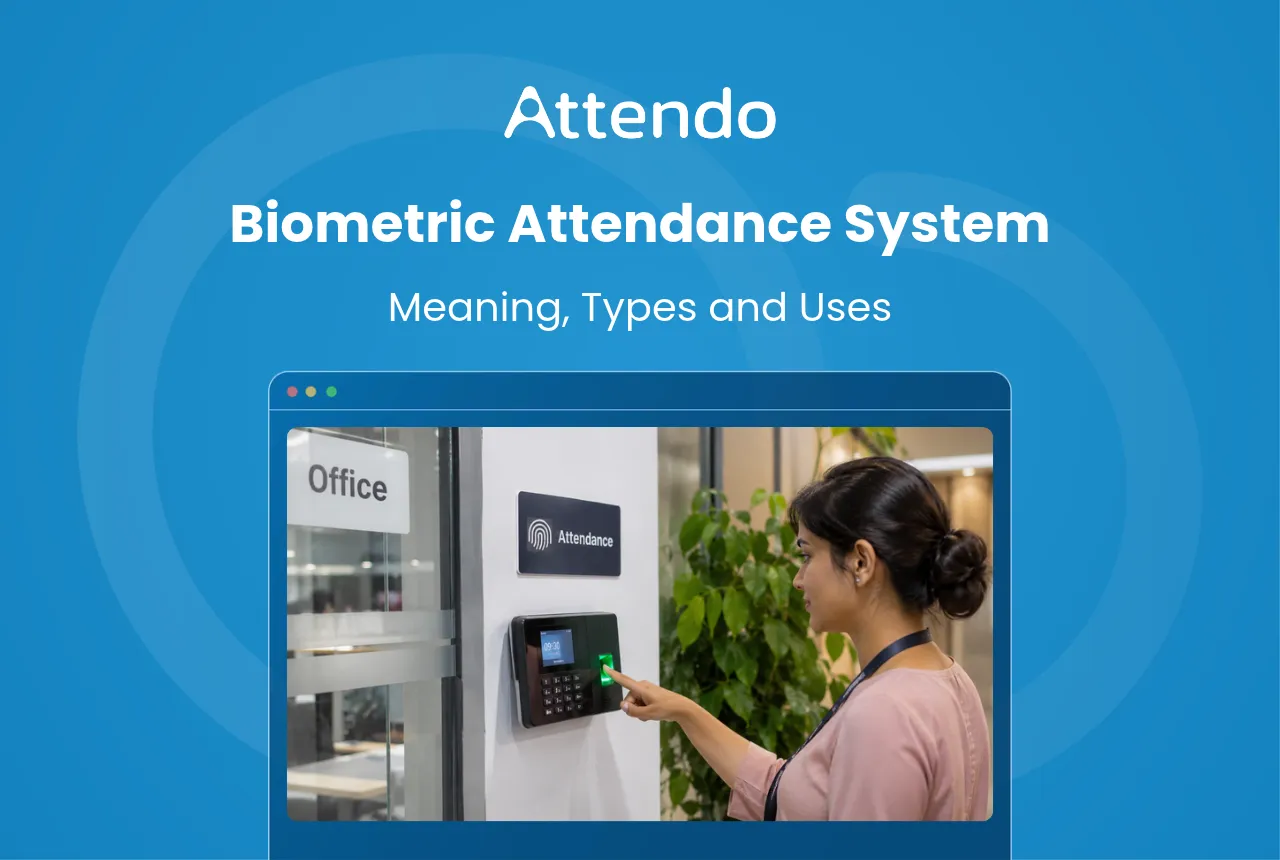
A biometric attendance system records when employees arrive and leave by reading something only they have, such as a fingerprint or face. It is very hard to punch in for a colleague, so the attendance you pay salary on belongs to the right person.
Owners and HR teams look at this system when the register stops being trusted, or when month-end salary work takes days. It suits a factory in Ahmedabad, a diagnostic lab in Pune and an office in Bengaluru alike.
This guide explains what a biometric attendance device is and how the system works. It then covers the main types, where each fits and how to choose one. In my view, the right type depends more on your employees’ hands than on the device’s features.
Key Takeaways
- Biometric attendance uses a device plus software to record attendance by scanning a fingerprint or face.
- Each punch is matched and saved with the time, then sent to software that can work out salary.
- Fingerprint and face are the most common types. Face suits gloved, dusty or busy workplaces.
- Get staff to agree in writing now. Older Information Technology (IT) rules ask for it until about May 2027, when the Digital Personal Data Protection (DPDP) Act’s main duties begin.
Latest Update on Biometric Data Rules
The DPDP Rules, 2025 were notified on 13 November 2025 with an 18-month phased timeline. Most duties, such as keeping employee data safe, apply from about May 2027.
What Is a Biometric Attendance Device?
A biometric attendance device is a machine, usually fixed to a wall near the entrance, that marks attendance by reading a body feature. Biometric means measuring something about the body, such as the ridges of a finger or the shape of a face.
People call it by many names: a biometric attendance machine, a biometric device for attendance, or a punching machine. The device together with its software is a biometric attendance system, which turns the punches into attendance reports. Linked to payroll, it also works out salary.
In Simple Words
A biometric machine knows your staff by a finger or a face. They scan it when they come in and when they go home. It saves the time, so you know who came and when.
How a Biometric Attendance System Works
Most biometric attendance systems follow the same basic steps, whether they read fingers or faces. The chart shows the steps in order, from the day an employee joins to the day salary is paid. The last step needs software that links punches to payroll.
The sections below explain enrolment, matching, syncing and salary. The scan itself takes only a moment.
Enrolling an Employee
When an employee joins, HR adds them in the software and they are enrolled on the device. For a fingerprint device, the employee places the same finger on the sensor a few times. For a face device, they look into the camera for a few seconds.
The device does not usually keep a photo of the finger. It turns the scan into a template, which is a set of points that describes the pattern. Enrolling a second finger is a good backup in case the first one gets a cut or burn.
Matching the Scan
When the employee punches, the device compares the new scan with the saved templates. In 1:N matching, the device searches every saved record to find who this is. The employee only needs to place a finger or look at the screen.
In 1:1 matching, the employee first enters a code or taps a card, and the device checks the scan against that one record. The match is quicker and more certain than searching every record. The extra step suits secure rooms where entry is limited.
Storing and Syncing Punches
Once the scan matches, the device saves the employee’s ID with the date and time. Modern devices send each punch to cloud software over Wi-Fi or a network cable. When the device is online, HR sees each punch on a dashboard within seconds, from any branch.
If the internet goes down, a good device keeps the punches in its own memory and sends them when the connection returns. Ask how many punches a device can store, because a long outage at a busy site can fill the memory quickly.
To total hours from punch times by hand, try this time card calculator.
Biometric Attendance System With Salary Calculation
A biometric attendance system with salary calculation goes one step further. The software adds up days present, late marks, half days, leave and overtime from the punches. It then uses them to work out each employee’s monthly pay.
Without that link, HR exports the punches to a spreadsheet and works out pay by hand. That is where typing errors creep in and late marks get missed. This guide to the attendance to salary workflow shows each step from the punch to the payslip.
Whichever device you choose, the software decides how much month-end work you save.
Attendo (formerly Petpooja Payroll) is a complete workforce management system for every kind of business, running attendance, shifts, leaves, payroll and statutory filings in one place. Attendo has more than 40,000 users today. It is Software By Petpooja, building helpful products for Indian businesses since 2011.
Types of Biometric Attendance Devices
The four main types of biometric devices for attendance are fingerprint, face, RFID card-plus-biometric, and iris or palm-vein. Each reads a different body feature.
Fingerprint suits offices and shops where hands are clean and dry, and face suits factories, hospitals and salons. Card devices add a backup, and iris or palm-vein devices suit high-security rooms.
Fingerprint Biometric Attendance System
A fingerprint biometric attendance system reads the ridges on a finger. It is the most familiar type. It works well in offices, shops, schools and clinics, where employees have clean, dry hands when they arrive and leave each day.
Staff learn it in a day, because they only place a finger on the sensor. It struggles where fingers are worn, cut or covered. Masons and warehouse packers, whose fingers wear down at work, can fail to scan on basic sensors, so plan a backup method for them.
Face Biometric Attendance Machine
A face biometric attendance machine reads the shape of a face with a camera, so employees do not touch anything. It suits factories where staff wear gloves, hospitals with hygiene rules, and salons where hands are often covered in product.
Good face devices use liveness detection, which checks that a real person is in front of the camera, not a photo or video. This post on the face scanner attendance device explains how face punching works on Attendo’s own device.
RFID Biometric Attendance System
An RFID biometric attendance system combines a fingerprint or face scan with a card. RFID (radio frequency identification) and NFC (near field communication) cards are tapped on the device, and the device reads the employee’s ID from the card.
Some devices ask for both, while others accept either one. A card on its own can be lent to a friend, so it works best as a backup to the scan. Many of these devices can also open a door lock, so one device handles attendance and entry.
Iris and Palm-Vein Biometric Devices
Iris devices read the coloured ring around the pupil of the eye. Palm-vein devices read the pattern of veins under the skin of the palm. Iris readers are touchless, and many palm-vein readers are too. Neither depends on the surface of the skin, which can wear down.
They are less common in Indian offices and factories than fingerprint and face devices. You are more likely to meet them at sites with strict entry rules, such as server rooms or research labs, than at a normal staff entrance.
Biometric Attendance System Benefits
The biggest benefit of a biometric attendance system is that it all but ends buddy punching, or proxy attendance. That is when one employee marks attendance for another. Here is what that can cost a business, worked out with simple numbers you can change to match your own.
Say a sales assistant at a garment showroom in Surat (an example) earns ₹15,000 a month. In a 30-day month, that is ₹500 a day. If a colleague signs the register for them on three days they skipped, the showroom pays ₹1,500 for work that never happened.
This guide to per day salary calculation and this salary per day calculator work out the daily rate for your own payroll. The other benefits come from attendance records that are very hard for a colleague to fake:
- Fewer month-end arguments, because each punch carries the exact time.
- Faster payroll, because linked software feeds the punches into salary instead of someone typing them in.
- Clear late marks and overtime, worked out from the same records for everyone.
- One view of every branch, when devices at each site sync to the same software.
Biometric Attendance vs Other Methods
Most businesses move to a biometric attendance system from a paper register, swipe cards or a mobile app. This table compares the four methods on what owners ask most. How is a punch made? Can a colleague punch for someone else? How do the times reach payroll?
| Method | How a punch is made | Can a colleague punch for you? | Link to payroll |
|---|---|---|---|
| Paper register | Employee writes the time and signs | Yes, easily | Typed in by hand |
| Swipe or tap card | Employee taps a card on a reader | Yes, by lending the card | Possible with software |
| Mobile app | Employee punches on their phone, often with a selfie and location | Harder, if selfie and location are checked | Possible with software |
| Biometric device | Employee scans a finger or face | Very hard, as the scan belongs to one person | Possible with software |
A mobile app suits field sales teams who never visit the office. This guide to geo tracking attendance covers punching by location. Many businesses use both: a device at the site for staff who come in, and an app for staff on the road.
Biometric Attendance Device by Workplace
The right biometric attendance device depends on where your employees work and what their hands are doing when they arrive. This table matches common workplaces to the type that usually fits them best.
| Workplace | Usual fit | Why |
|---|---|---|
| Factory or manufacturing unit | Face | Gloves and dust can block fingerprint scans |
| Hospital, clinic or diagnostic lab | Face | Touchless for hygiene; many models also control doors |
| Retail store or showroom | Fingerprint | Small team, clean hands, one entrance |
| School or coaching centre | Fingerprint or face | Fingerprint for small staff; face when many punch at once |
| Corporate office | Fingerprint with card, or face | Door access for secure floors |
| Construction site | Face | Worn fingers often fail to scan |
As an example, a fabrication unit near Ahmedabad running two shifts needs a device that copes with a crowd at shift change. A dental clinic in Indore may punch only eight people a day. So check two numbers: total employees, and how many punch at the busiest minute.
Attendo’s pages for manufacturing units and healthcare businesses cover attendance and payroll for factories, hospitals and clinics.
Its pages for retail stores and corporate offices do the same for shop floors and office teams.
Attendo Biometric Attendance Devices
If you want the device and the payroll software from one vendor, this is how Attendo does it. Attendo offers two devices, and both come with the same software. The choice depends on team size, site conditions and how employees punch.

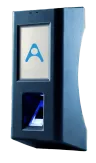
Biometric Pro is a fingerprint device that stores up to 750 employees per device. It adds NFC cards, a colour screen and door lock control. Unlike basic sensors, its sensor is built to read oily, wet and greasy fingers.
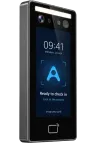
Face Scanner is touchless, with liveness detection, for up to 3,000 users. It has an aluminium body and an IP44 rating, which means it resists splashing water and small solid objects. It can also control a door lock.
A punch registers in 0.03 seconds and typically reaches the Attendo cloud in under 2 seconds. If the internet drops, punches are stored on the device and uploaded when it returns.
Payroll then works out salary with Provident Fund (PF), Employees’ State Insurance Corporation (ESIC), Professional Tax (PT), Tax Deducted at Source (TDS) and Labour Welfare Fund (LWF) deductions.
For a biometric attendance machine with mobile app support, Attendo has two apps. Owners see attendance and approve leave in the Admin App. Employees see their attendance and payslips in the Employee App, in 11 Indian languages.
Each device carries a 1-year warranty, and Attendo’s team installs it and gives 24×7×365 support. Visit attendohr.com for the full device and payroll details.
Biometric Attendance System Tips for HR
Before you buy, ask three questions. Does the type suit your employees’ hands? Does one device hold your headcount, with room to grow? And do the punches reach your payroll software without anyone retyping them?
Then check door control. Each entrance with a locked door needs its own device with door lock control.
A biometric attendance system reads a fingerprint or face, saves each punch with the time, and lets software turn the punches into salary.
The system is easiest to judge in use. Where you can, start at one site with one device, and check the first month’s punches against salary before adding more. To compare the two Attendo devices, visit attendohr.com.
Frequently Asked Questions
1. What is biometric attendance in simple words?
2. Is a biometric attendance system legal in India?
3. What is the biometric attendance machine price based on?
4. Does a biometric attendance device work without internet?
5. What if my fingerprint does not scan?
6. Can someone fool a biometric attendance system?
7. Can my employer make biometric attendance compulsory?
8. How many employees can one biometric device hold?
Listen to this article
Related Articles You May Like
6 Late Coming Policy Rules, With 3 Letter Formats to Copy
Six rules for a fair late coming policy, a copy-paste template and warning, explanation and apology letter formats.
Avani Joshi
HR & Payroll Experts
3 Ways to Calculate Attendance Percentage, and the One Payroll Uses
One month, one employee, three ways to calculate attendance percentage. The formula is never the problem. What you divide by is, and it decides what a day of absence costs.
Avani Joshi
HR & Payroll Experts
Night Shift Allowance in India and Who Actually Decides It
No Code names a night shift allowance rate. What it settles is the calendar, the consent and the deductions, and those cost more than the figure most employers argue over.
Avani Joshi
HR & Payroll Experts
How to Prepare a Duty Roster Format That Holds Up
Most duty roster format templates give you a grid and stop. The grid is the easy half: the Code decides the hours, the handover and how often you may change it.
Avani Joshi
HR & Payroll Experts